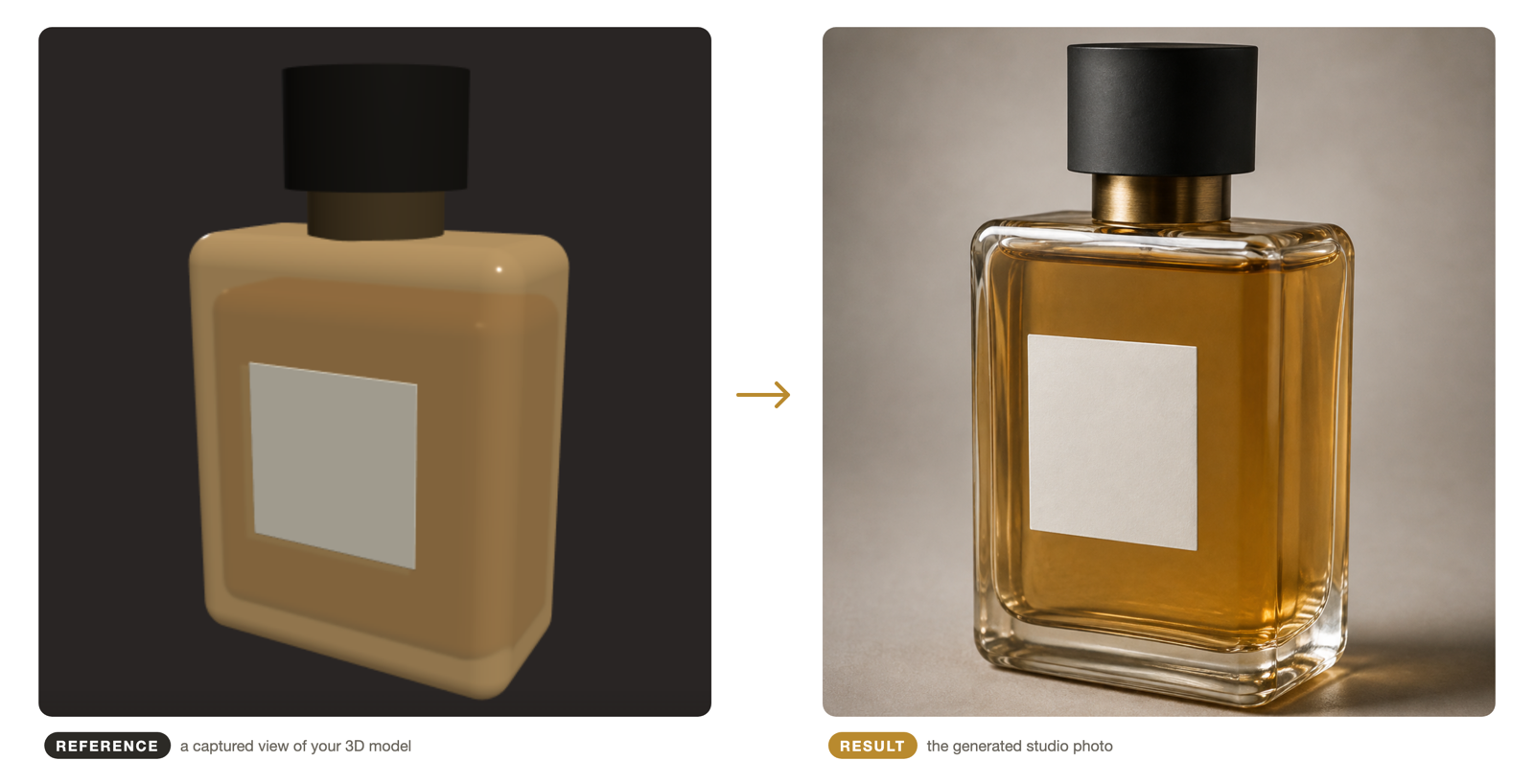
Yes — you can make every product in your catalog look shot in the same session, on the same day, by the same invisible photographer, and the way to do it is structural rather than disciplinary. The method has three layers: one geometry source (each product’s 3D model, so every image descends from the same definition of the product), locked camera poses (a fixed angle set captured identically for every SKU), and one shared prompt skeleton (background, surface, and lighting written once per style and reused verbatim). Catalogs drift because each image is produced by independent decisions; this method replaces the decisions with reusable structure. This page walks through the layers, how they combine across SKUs and across time, and what teams gain when the style guide becomes an executable file.
How catalogs drift
Inconsistency isn’t carelessness; it’s entropy. Every image that enters the catalog carries the circumstances of its production: a different shoot day, a different photographer’s habits, a lens a few centimeters closer, a background sweep a shade warmer, a retoucher’s mood. Each image looks fine alone — drift is only visible in the grid, where the hero shot of SKU #3 sits next to SKU #47 and quietly disagrees about where the light comes from.
AI generation, unmanaged, makes it worse: every prompt is fresh circumstances. Two writers describe “white background” differently; one generation runs on Tuesday’s model version and one on Thursday’s; angle is whatever the model felt like. A hundred-SKU catalog built that way isn’t a catalog — it’s a collage.
The fix is to stop treating each image as a fresh creative decision and start treating the catalog as one system producing many images.
Layer 1: one geometry source per product
The foundation: every image of a product descends from that product’s 3D model, via captured reference views — the workflow in How to Turn a 3D Model into Product Photos. This matters for consistency because the model is a fixed, shared definition: the same file, the same geometry, every time. A photo is also a definition, but it bakes in one angle, one light, and one lens — and every “new angle” derived from it drifts. The model carries all angles neutrally, waiting for the camera.
It also matters across variants: a colorway or material change is the same geometry with a different finish, so the angle set survives the change untouched — the new variant matches the old one’s angles by construction, not by effort.
Layer 2: locked camera poses
On top of the geometry, define the catalog’s angle set — the small list of canonical views every SKU will have. For a typical listing: hero three-quarter, straight front, side profile, a detail crop, maybe the back. For each, fix the parameters once: camera height, distance, frame share (product occupies ~60% of frame width), orientation.
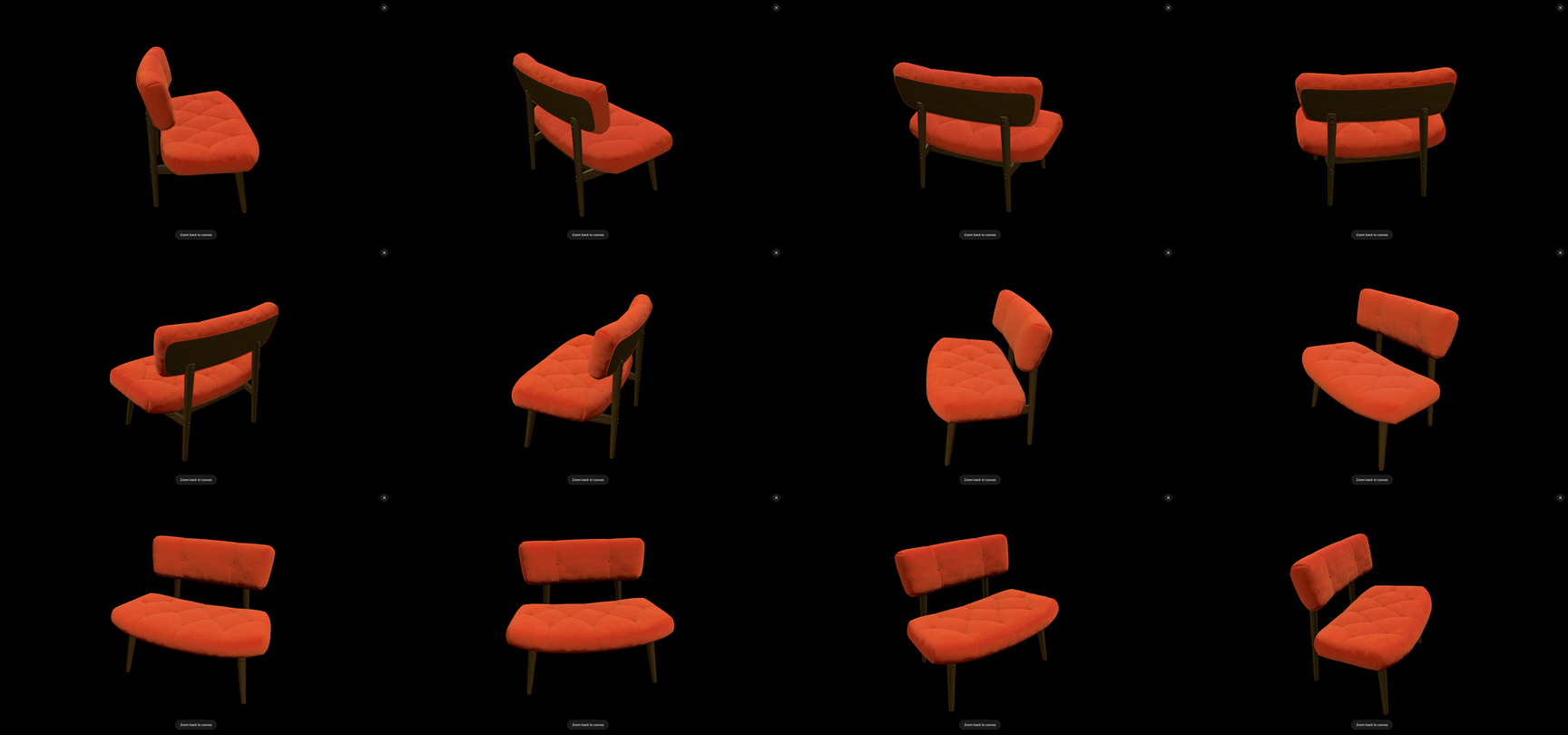
Then, for every SKU, frame those same poses against its model and capture. This is the step that makes SKU #200’s hero match SKU #1’s: not similar judgment, but the same numbers. The angle-family grid on this page is what the output of this layer looks like — one model, one framing, twelve even steps, no judgment calls between them.
This layer is also where marketplace compliance lives: platform rules about main-image angle, orientation, and frame share are, read closely, a request for specific camera poses. Define your canonical angles to match, and compliance becomes the default output rather than a retouching pass.
Layer 3: one prompt skeleton
The final layer covers everything around the product. Write the scene once per collection style — “pure white seamless background, soft shadow pooling under the base, diffused studio light from upper left” — and reuse it verbatim for every SKU in that style. Only the captured reference changes between generations.
This is the catalog-consistency application of the templating technique from AI Product Photo Prompts That Preserve Shape and Logo: separate material from light, fix the scene in slots, change one variable at a time. Its power here is negative — what it prevents. No two writers’ “white background”, no Tuesday-versus-Thursday mood drift, no accidental scene redesign halfway through the catalog. The lighting on SKU #47 is not merely similar to SKU #3’s; it is the same sentence.
Across SKUs, across time, across the team
The compounding payoffs:
- New SKUs inherit the system. Onboarding a product is framing the canonical poses against its model and generating against the existing skeletons — the catalog’s look arrives with the first batch.
- Refreshes don’t break style. Next season’s re-shot is the same poses and skeletons with updated scenes where intended. Because projects and references live locally, reproducing last year’s exact treatment is opening the project, not archaeology.
- The style guide becomes executable. A traditional brand guide says “our light is soft and from the left” and hopes. This method’s style guide is a set of camera values and prompt strings — files a new team member runs, not paragraphs they interpret. For agencies and multi-brand teams, that difference is the difference between a look that survives handoffs and one that doesn’t.
- Spin content falls out for free. The same locked-framing discipline, applied in a full rotation, is exactly a 360° turntable video — one more product of the same system.
Frequently asked questions
The compressed version: drift comes from independent decisions per image; the method replaces them with one geometry source, locked camera poses, and a shared prompt skeleton; four to six canonical angles cover most catalogs; and the system survives new SKUs, seasonal refreshes, and team handoffs because it’s stored structure rather than habit. The expandable answers cover each.