Yes — 2026 has no shortage of AI tools that turn one product photo into a full listing’s worth of imagery. The harder part is that “best” is the wrong question, because these tools quietly split into two species determined by the one thing you cannot change after subscribing: what you feed the tool. Nine of the ten tools below start from a 2D photo of your product; one starts from a 3D model. That choice decides shape accuracy, angle freedom, and whether you can produce images before the product exists. This guide compares all ten honestly — prices as of 2026-09, real strengths, real catches — so you can shortlist by input, not by hype.
The dividing line: a photo or a 3D model
Before the list, the framework — because it predicts how each tool will behave on your catalog better than any feature table.
2D-image tools (Photoroom, Pebblely, Pixelcut, Flair, Pippit, Caspa, Mokker, Claid, Presti) take an existing product photo — ideally a clean cutout — and generate new scenes around it, or generate fresh images from it with a prompt. They are fast to start: you already have product photos, upload one, and get staged variants in minutes. Their shared ceiling comes from the same place. The photo is the entire source of truth: every generated image re-draws the product from those pixels, so fine geometry (logo placement, seam lines, button counts) can drift between generations, and angles that the photo does not show — the back, the underside, a close-up of a port — must be invented. And a product that has not been photographed yet, because it has not been manufactured yet, has no entry point at all.
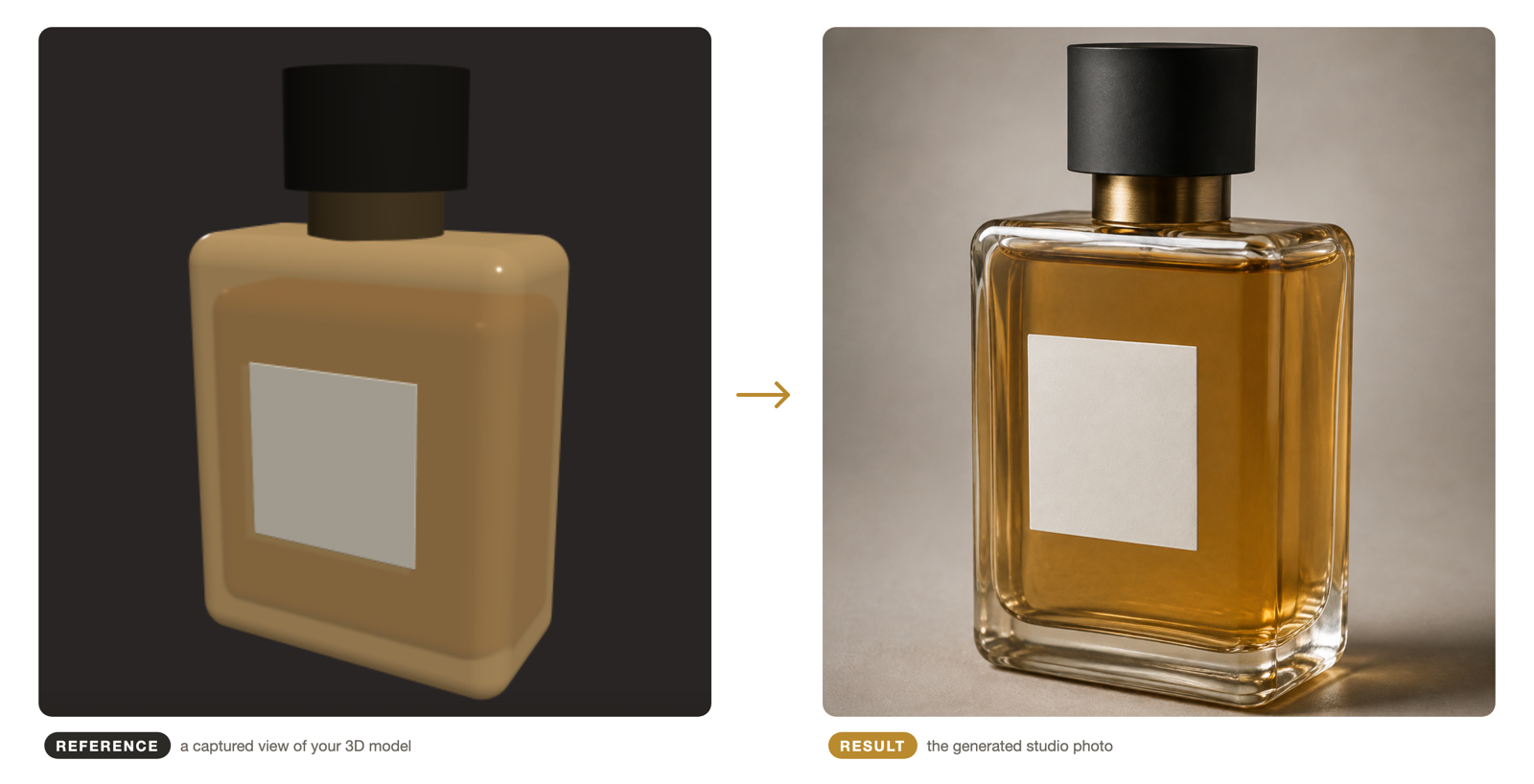
3D-model tools (shotshot.ai on this list) start from a GLB or glTF file instead. The model carries the product’s exact geometry, so the angles you frame in the 3D view are true to the product, and the generator works from a capture of that view rather than re-inventing the shape. The trade is the mirror image of the 2D camp’s: you need a 3D model first. If you have one — from CAD, from the designer who modeled the product, from a product that only exists as a design — it is the difference between describing your product to an image model and showing it. If you only have photos, that advantage is out of reach until the product is modeled.
Neither camp is “better.” Most of this list’s readers already have photos and no model, and for them a 2D tool is the rational pick — that is why the list is nine-to-one. The point of the split is to keep the comparison honest: judge each tool by the job it can actually do for the input you actually have.
The ten tools at a glance
| # | Tool | Input | Price (as of 2026-09) | Best at | The catch |
|---|---|---|---|---|---|
| 1 | Photoroom | 2D photo | Free; Pro ~$12.99/mo (yearly ~$7.50/mo); Max ~$34.99/mo | All-round editing + AI scenes, mobile and web | Credit-based; shape fidelity still bounded by the source photo |
| 2 | Pebblely | 2D photo | Free (~40 images); Lite $9/mo, volume tiers to ~$39/mo | Cheapest credible way to test AI product backgrounds | Simple scenes; less control on fine detail |
| 3 | Pixelcut | 2D photo | Free; Pro |
Mobile-first seller workflow: background, upscale, batch | 600 credits run out fast at listing scale |
| 4 | Flair | 2D photo | Free; Pro+ ~$8–10/mo | Designer-style layout control — stage products among props on a canvas | Check current commercial-use terms before subscribing |
| 5 | Pippit | 2D photo / product link | Free (150 credits/week, watermarked); Starter ~$15/mo; Plus ~$50/mo | Product-link-to-content: images, video, posters in one place | Watermark on free tier; credit rates vary by feature |
| 6 | Caspa | 2D photo | Entry ~$19/mo; Growth $99/mo; Scale $249/mo | AI images plus video and AI models in one catalog tool | Pricing aimed at volume sellers, not solo stores |
| 7 | Mokker | 2D photo | From ~$13/mo (under soona ownership since 2024) | Budget studio-style backgrounds at scale | Roadmap now tied to soona’s platform — verify current focus |
| 8 | Claid | 2D photo, API-first | Free tier; Essentials ~$15/mo; Pro ~$39–49/mo; API billed separately | Automating enhancement + generation across a whole catalog via API | Developer-flavored; overkill for a dozen images |
| 9 | Presti | 2D photo (furniture) | Discovery $330/mo; Pro $490/mo; Team $1,080/mo | Furniture-industry imagery trained on furniture photos | Enterprise pricing; furniture is the whole scope |
| 10 | shotshot.ai | 3D model (GLB/glTF) | App free and open source; generation through the image-model API you configure (BYOK) | Photographic shots that hold your product’s real geometry, from any angle, before manufacturing | Needs a 3D model; you supply and pay for a model API |
Prices are drawn from each vendor’s public pricing page and plan listings as of 2026-09; tiers and terms change often in this category, so treat the numbers as an anchor and verify before subscribing.
The one-line verdict if you are skimming: have photos, need variety — Photoroom; have photos, need cheap and simple — Pebblely; need images plus video at volume — Caspa or Pippit; need an API — Claid; sell furniture at scale — Presti; have a 3D model — shotshot.ai. The sections below earn those verdicts.
The 2D-image camp
1. Photoroom — the all-rounder
Photoroom has become the default answer to “which AI product photo app,” and the reputation is earned: background removal that works on the first try, AI backgrounds and scenes, batch editing, and a real editor around all of it, on phone and web. The free tier is genuinely usable for trying the workflow; Pro (~$12.99/month, or ~$7.50/month billed yearly as of 2026-09) raises the AI credit ceiling and unlocks the features sellers actually stay for. If you want one tool that covers editing and generation and never makes you learn a second interface, start here and stop looking.
The honest limits: output is credit-metered at the higher tiers, and — the shared 2D ceiling — everything generated redraws your product from the photo you uploaded. For hero shots with clean cutouts that is usually fine; for products with fine surface detail, compare generated candidates against the original before publishing, because that is where drift shows up first.
2. Pebblely — the cheapest credible start
Pebblely does one thing with minimal ceremony: upload a product photo, pick from a library of backgrounds and scenes, get images. The free tier (~40 images) is enough to learn whether the category helps you at all, and paid tiers from $9/month (as of 2026-09) make it the least expensive way to run the workflow continuously. Scene templates lean stock-ish — marble, wood, plants, gradients — and fine-detail control is limited, which is the honest price of the price.
Pick Pebblely when your needs are “consistent, decent-looking background variety for a small catalog” and not “art-directed campaign imagery.” It is the tool that proves this whole category works; graduate from it when you outgrow its scenes rather than before.
3. Pixelcut — the seller’s phone toolkit
Pixelcut is built around the mobile seller’s loop: shoot or import, remove the background, drop the product into AI scenes, upscale, batch-export for marketplace listings. Pricing is among the friendliest (Pro ~$10/month, ~$8 billed yearly, with 600 AI credits; Business ~$30/month as of 2026-09), and the free tier is more generous than most. For a solo marketplace seller who lives on a phone, it is the tightest fit on this list.
The catch is volume math: 600 credits sound like a lot until a catalog refresh consumes them, so estimate your monthly image count before choosing a tier. As with every 2D tool, the better the input photo, the better everything downstream.
4. Flair — layout control for design-minded sellers
Flair’s differentiator is that it treats generation as a design canvas: you place your product among described props, position everything visually, and generate the composed scene — closer to art-directing a photoshoot than picking a template. For brand teams that care where the shadows fall and how the props frame the product, that control is the product; pricing is approachable (Pro+ around $8–10/month as of 2026-09).
One diligence item: third-party reviews have flagged that Flair’s lower tiers historically lacked commercial licensing with undisclosed generation limits — terms like that change, so read the current plan fine print before subscribing for client or store work.
5. Pippit — product link to full campaign
Pippit (from the CapCut/ByteDance ecosystem) widens the job from “product photos” to “product content”: paste a product link, and it generates images, promo videos, posters, and AI-presenter clips in a branded style. The free tier renews 150 credits weekly — enough to evaluate, with watermarks — and paid plans start around $15/month (as of 2026-09). For a small ecommerce team that needs a weekly drumbeat of creative across channels and cannot staff it, that breadth is the appeal.
The breadth is also the trade: as a generalist content machine, per-output polish and shape fidelity sit below the specialists here. Use it for volume and variety; use a specialist for the hero image.
6. Caspa — images, video, and AI models in one
Caspa packages AI product images, product video, and AI human models holding or wearing the product, aimed at catalog-scale sellers. Volume pricing reflects that aim: an entry tier around $19/month, with Growth at $99/month for ~1,000 images or 8 minutes of video and Scale at $249/month (as of 2026-09). The combination of on-model imagery and video in one credit pool is genuinely hard to assemble elsewhere at this price.
If you are a solo store with a handful of SKUs, this is more machine than you need — Pebblely plus a video tool will cost less. If you refresh large catalogs quarterly and want on-model variants without shoots, the economics invert quickly.
7. Mokker — budget studio backgrounds
Mokker made its name replacing product photo backgrounds with realistic studio and lifestyle scenes, simply and cheaply, and was acquired by the product-photography platform soona in 2024. It still operates, with plans from around $13/month (as of 2026-09). For straightforward background replacement at a low price, it remains a working option — and soona itself is worth a look if your needs grow toward hybrid human-shot plus AI workflows.
The caveat that comes with any acquired tool: feature momentum depends on the parent’s roadmap, so check what Mokker itself ships today before building a recurring workflow on it.
8. Claid — the API-first option
Claid approaches the category as infrastructure: enhancement (background removal, upscaling, color correction) and AI generation exposed through an API, with a web app on top for manual work. Pricing runs from a free tier through Essentials ($15/month) and Pro ($39–49/month), with API usage billed separately (as of 2026-09). If your catalog lives in a platform and you want imagery processed automatically — every new SKU photographed, enhanced, and staged without a human opening an editor — Claid is the natural shortlist entry.
For a dozen images a month it is overkill in the same way a forklift is overkill for moving one box. Judge it by pipeline, not by output quality alone.
9. Presti — the furniture specialist
Presti trains and positions everything around home-furniture imagery, and furniture brands pay for that focus: plans start at $330/month (Discovery) and run to $1,080/month (Team) as of 2026-09 — enterprise money, justified by enterprise image volumes and by output quality that generic tools do not reach on reflective woods and fabrics. If you manufacture or retail furniture at scale, it is the category leader and the price makes sense against a single studio day.
Everyone else should read this entry as context: vertical depth exists in this market, and it costs. Also note — furniture is the ecommerce category where 3D models are most commonly available already, which makes it the one vertical where the 3D route below competes directly.
The 3D-model camp
10. shotshot.ai — geometry from a model, scenes from a prompt
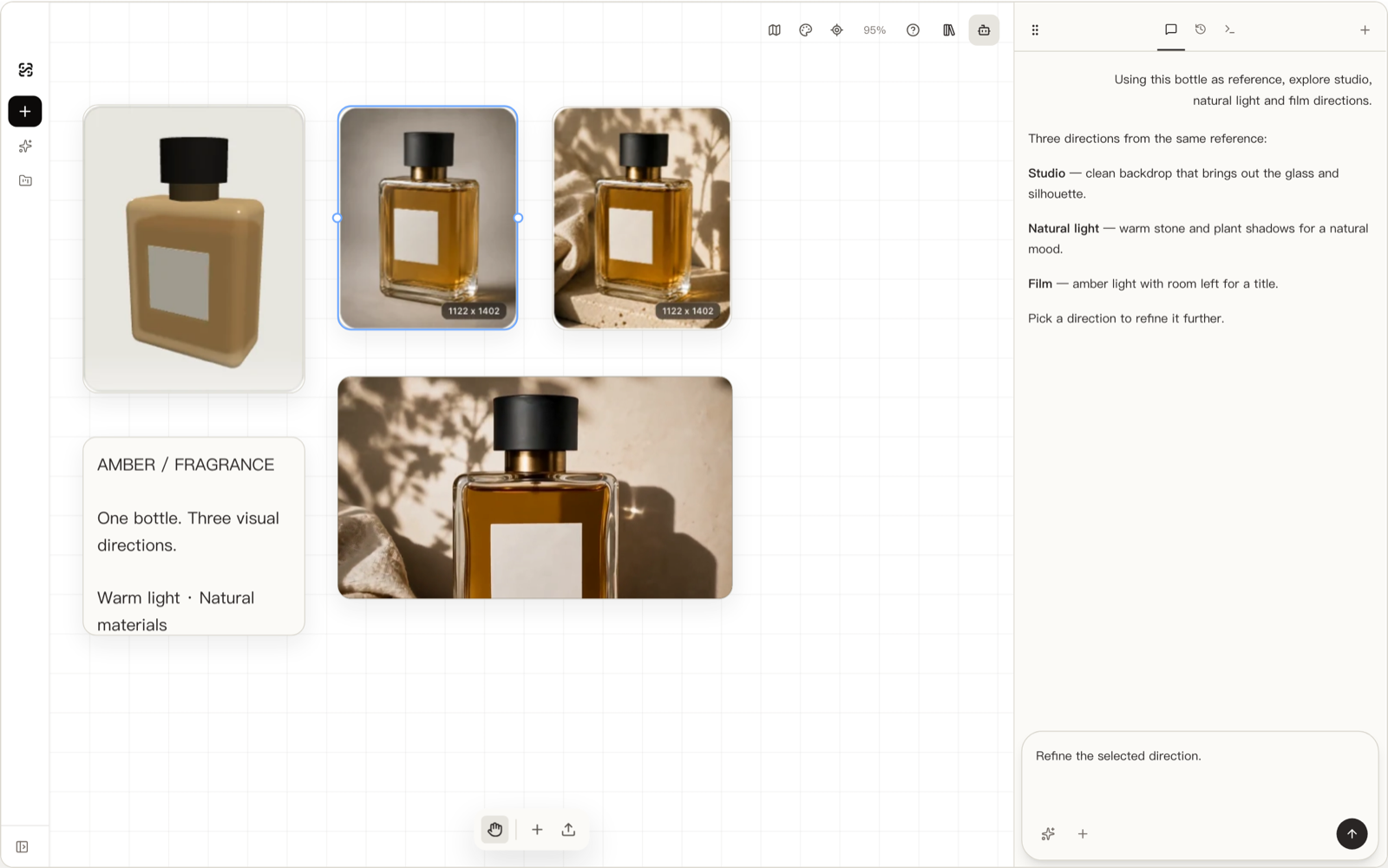
shotshot.ai is the one tool on this list that does not want your photo. Import your product as a GLB or glTF file, orbit the interactive 3D view until the composition is right, capture that view as a reference, and generate through the image-model API you configure — the model receives an actual capture of your model, so proportions and details stay anchored to the real geometry instead of being redrawn from pixels. Capture the back, the underside, a logo close-up — any angle the model contains — without owning a photo of it. The full workflow is walked through in How to Turn a 3D Model into Product Photos.
The properties that follow from the design are unusual: angles are decided in 3D before generation, so a catalog stays consistent when every image descends from the same model; images can exist before the product does — the pre-launch playbook in Ecommerce Product Images Before Manufacturing is built on exactly that; and projects and assets stay on your device by default — when you generate with a cloud model, the prompt and reference views go to the model service you configure, and nothing else. The app itself is free and open source.
Now the honest catches, because a 10-item list that flatters its own entry is worthless. First, you need a 3D model — if your product exists only as photos, shotshot cannot help you until someone models it, and that is a real cost. Second, you bring your own model API: generation quality and per-image cost depend on the image-model service you configure, so it is BYOK rather than turnkey — powerful for people who already have API access, extra setup for everyone else. Third, it is not a renderer: for physically exact materials or engineering-grade output, a dedicated tool wins — we say so plainly in KeyShot Alternatives in 2026. shotshot earns its slot only when a model already exists or the product is pre-manufacture; in that situation nothing else on this list accepts your input at all.
How to actually choose
Three questions settle it faster than any feature matrix:
- What input do you have? Photos only → Photoroom, Pebblely, Pixelcut, Flair, or Caspa. A 3D model → shotshot.ai. No product yet, but a design/CAD model → shotshot.ai, for product images before manufacturing.
- What volume and shape of output? A background-variety pass on a small catalog → Pebblely or Pixelcut. One polished all-rounder → Photoroom. Images plus video plus on-model shots at catalog scale → Caspa or Pippit. A pipeline integrated with your platform → Claid. Furniture at retail scale → Presti.
- How do you want to pay? Subscription credits (everyone above) price predictably but meter every image; shotshot’s BYOK model prices at your own API cost with no markup — better if you generate at volume and already hold API keys, more friction if you do not.
One reassurance: this decision is cheaply reversible. Every tool here either has a free tier or a low entry plan (as of 2026-09), so run your worst product photo and your most important SKU through two finalists before committing a year anywhere.
Frequently asked questions
The compressed version of everything above: nine tools start from a photo and differ by depth and price — Pebblely cheapest, Photoroom the all-rounder, Caspa and Pippit for image-plus-video volume, Claid for APIs, Presti for furniture — and one, shotshot.ai, starts from a 3D model, which trades “works with what you have” for shape accuracy, angle freedom, and pre-launch imagery. The expandable answers below cover the questions buyers actually ask.